20Avr/15
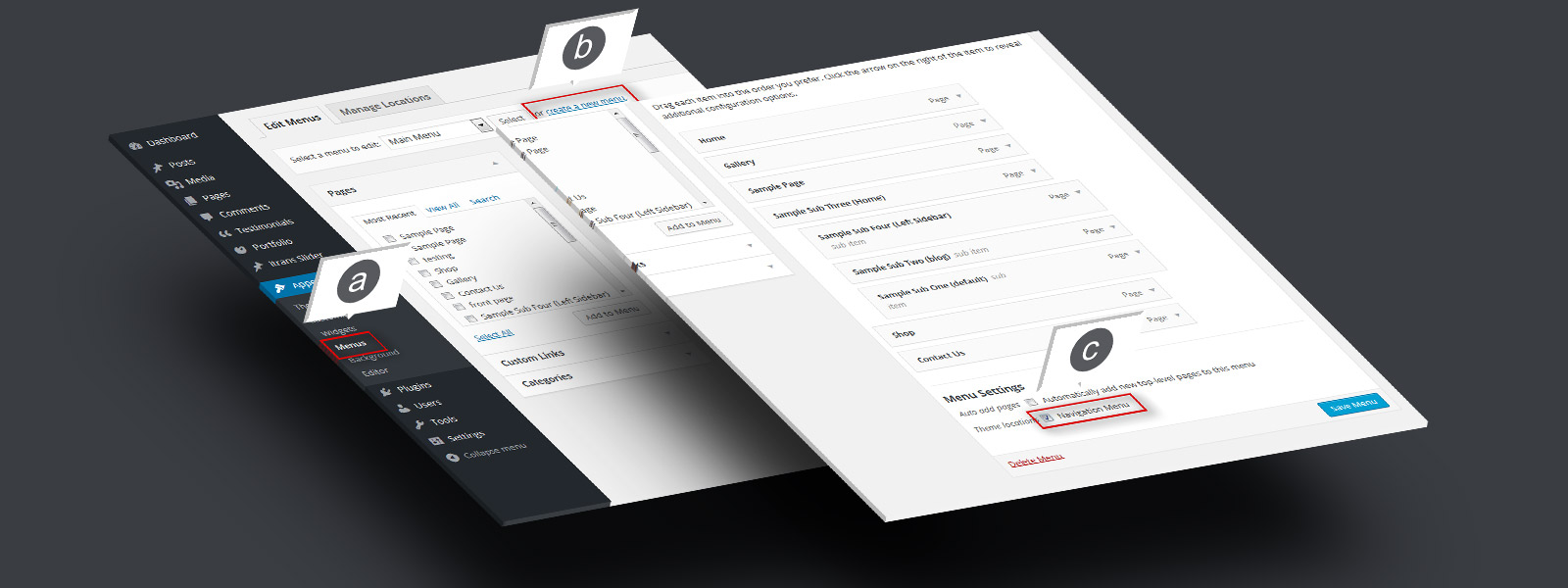
Step 1. Menu Setup
a. Go to « Appearance » > « Menus ». b. Create a new menu, add pages and links c. Check « Navigation Menu » and save

a. Go to « Appearance » > « Menus ». b. Create a new menu, add pages and links c. Check « Navigation Menu » and save
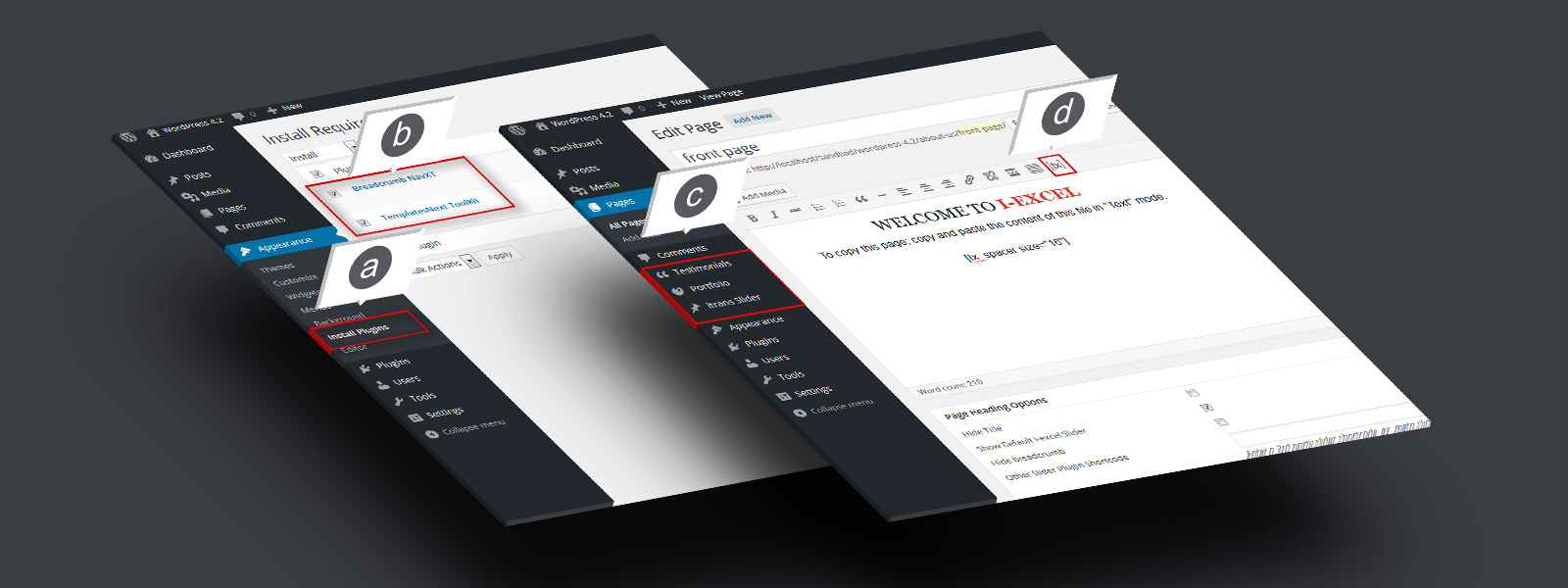
a. Go to « Appearance » b. Check « Templatesnext Toolkit » and « Breadcrumb NavXT » c. Install and activate
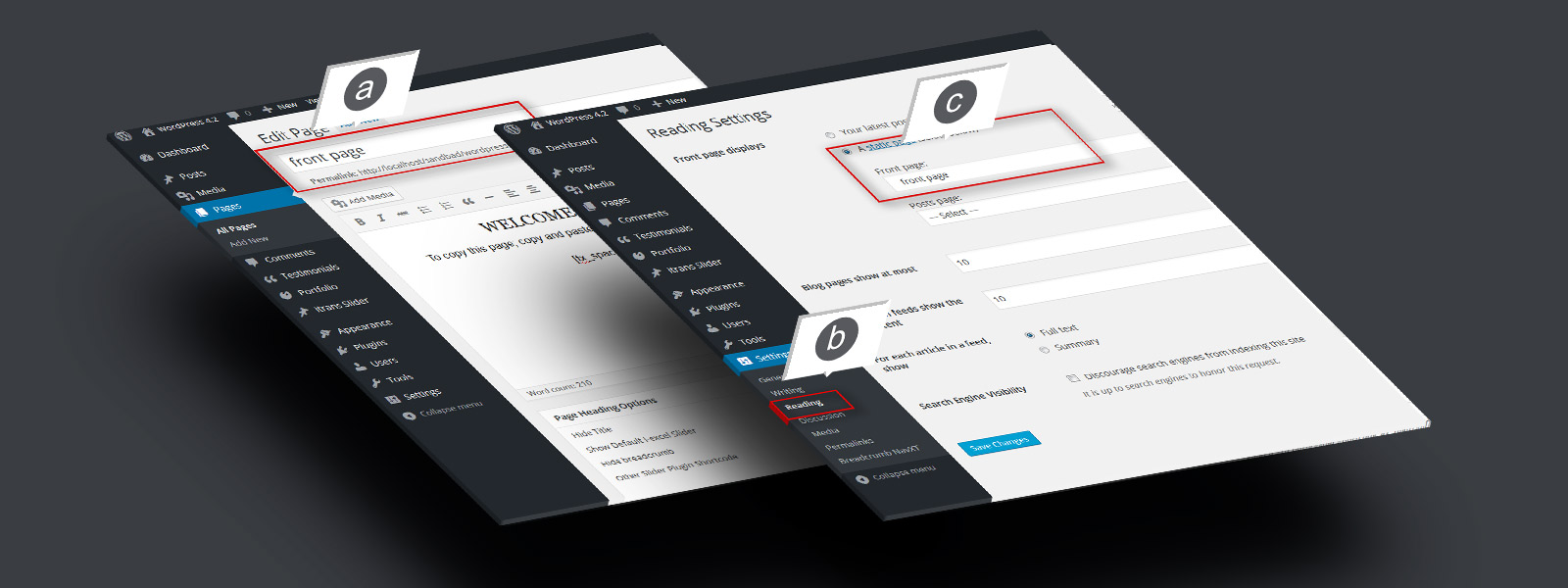
a. Create a page, say « Front Page » and save b. Go to « Settings » > « Reading » C. Set your newly created page as static front page. d. Do same for blog if you have aRead More…
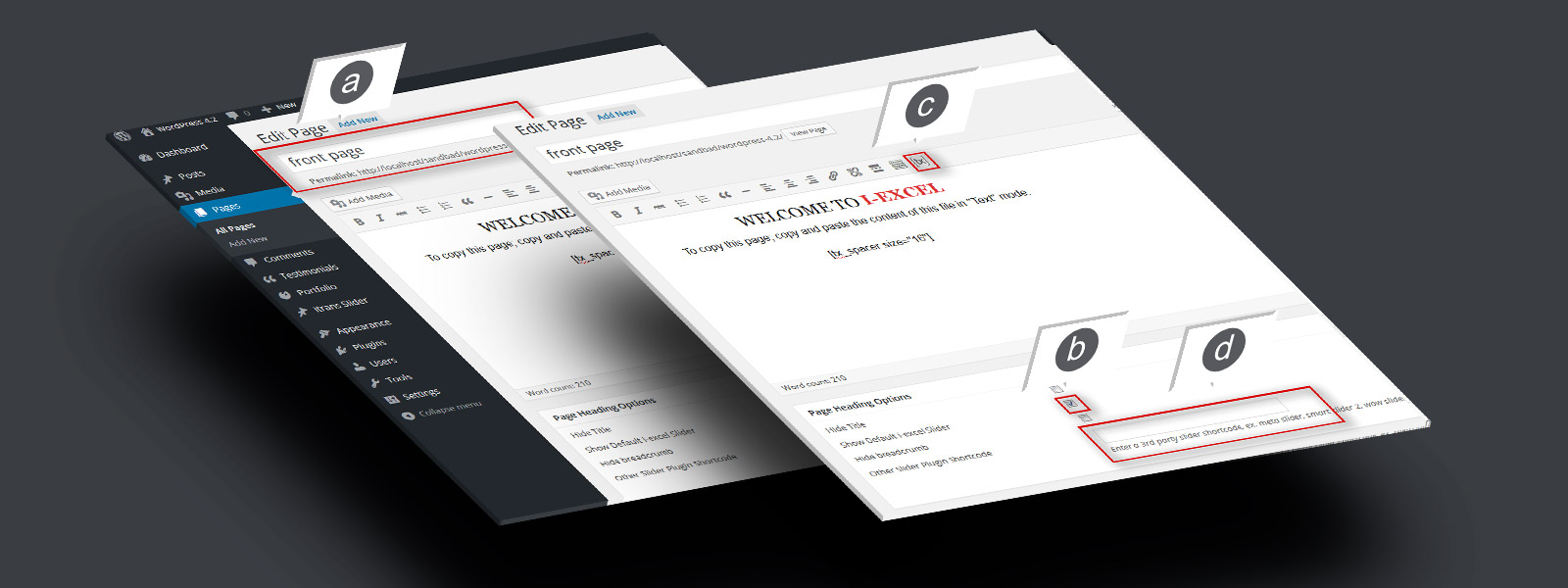
a. Open newly created « Front page » in editor. b. Check « Show default i‑excel slider » to show default slider. c. Use [tx] to generate slider. d. Add the shortcode in « Other slider pluginRead More…
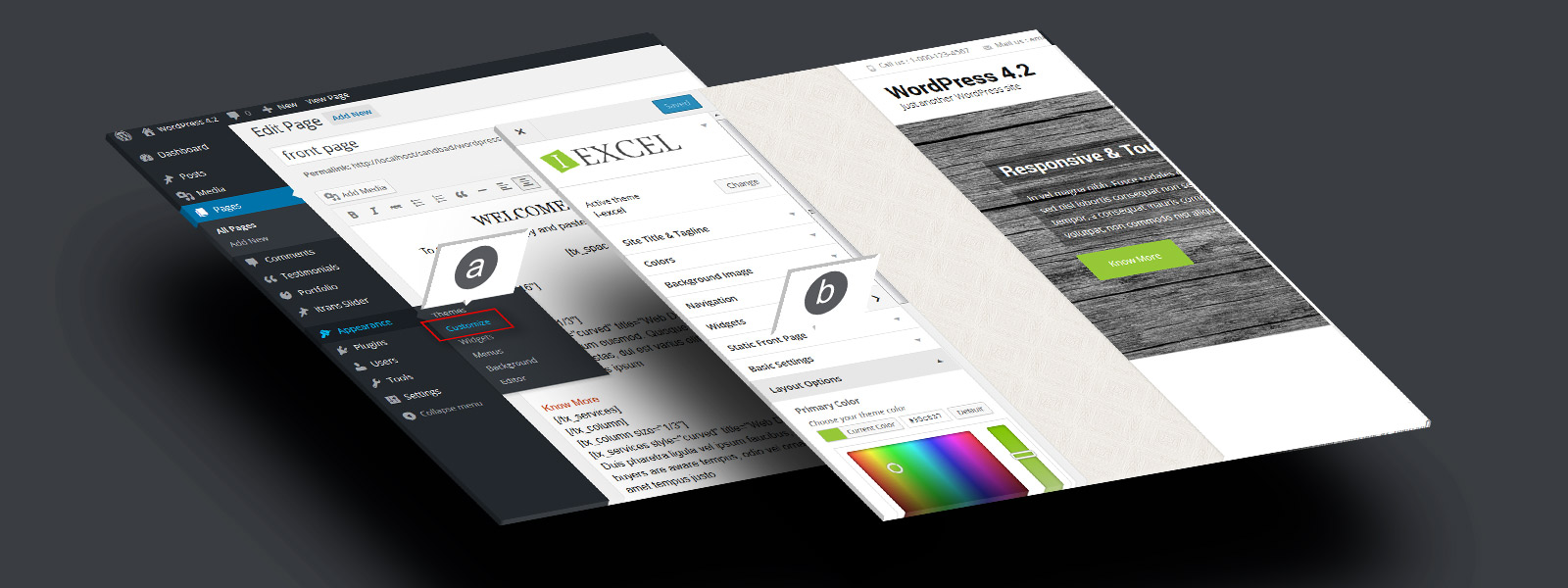
a. Go to « Appearance » > « Customize ». b. Setup your theme color, logo, layout etc.